Running an online store but not getting enough sales? Your website might have hidden problems stopping customers from finding you. Here’s what you need to check right now:
Immediate Action Steps
- Check if your product pages load in under 3 seconds
- Make sure every product has a unique description
- Verify all your images have descriptive names
- Test your website on mobile phones
- Check if customers can easily find what they’re looking for
These five quick checks reveal the biggest problems killing your online sales. Fix these first, and you’ll see immediate improvements in your traffic and conversions.

Why Your Online Store Needs an SEO Audit
Think of an SEO Audit like a health checkup for your website. Just like you visit a doctor to find health problems before they get serious, an SEO Audit finds website issues before they destroy your business.
Every day your store has SEO problems, you lose money. Customers searching for your products find your competitors instead. Google shows websites it trusts, and if yours has issues, you stay invisible.
The good news? Most problems are fixable once you know what they are. Whether you handle it yourself or work with experienced digital marketing professionals, understanding what an SEO Audit involves helps you make better decisions for your online store.
What Exactly Is an SEO Audit?
An SEO Audit is a complete examination of everything affecting your website’s search engine rankings. For e-commerce stores, an SEO Audit looks at how fast your pages load, whether product descriptions are unique, if your site works on mobile devices, and how easy it is for customers to navigate.
A good SEO Audit gives you a clear list of problems and exactly how to fix them.
Technical Issues That Kill E-commerce Sales

1. Website Speed Problems
Speed matters more than most store owners realize. If your pages take longer than 3 seconds to load, half your visitors leave before seeing anything.
Quick fixes
- Compress all product images before uploading
- Remove apps you don’t actually use
- Upgrade to better hosting if needed
- Enable browser caching
Every SEO Audit should measure your site speed because it directly impacts sales. Use Google’s PageSpeed Insights to check your current speed and see specific problems.
2. Mobile Responsiveness Issues
More people shop on phones than computers now. If your store doesn’t work perfectly on mobile devices, you’re losing money every single day.
Common mobile problems
- Buttons too small to tap accurately
- Text that’s too tiny to read
- Images that don’t fit the screen
- Checkout forms that are impossible to fill out
Solutions
- Use a responsive theme that automatically adjusts
- Make buttons at least 44 pixels tall
- Use readable font sizes (minimum 16 pixels)
- Simplify checkout to as few steps as possible
Your SEO Audit must include thorough mobile testing because Google now ranks based on mobile versions of websites.
3. Broken Links and Error Pages
Nothing frustrates customers more than clicking a link and getting an error page. Every broken link costs you potential sales.
Use free tools like Screaming Frog or Google Search Console to find 404 errors. Set up 301 redirects from old URLs to new ones, and regularly check for new broken links.
Every comprehensive SEO Audit identifies these issues because they directly hurt user experience.
On-Page SEO Problems

Product Descriptions
Many online stores use manufacturer descriptions copied directly from suppliers. This is terrible for SEO because hundreds of other stores have the exact same text.
The solution
Write unique descriptions for every product. Yes, this takes time. Yes, it’s worth it.
Good product descriptions
- Explain benefits, not just features
- Use words your customers actually say
- Include relevant keywords naturally
- Answer common questions
- Help people make buying decisions
Your SEO Audit should flag every duplicate product description so you know exactly what needs rewriting.
Missing or Poor Title Tags
Title tags are the clickable headlines in search results. They’re incredibly important for both rankings and getting people to click.
Better title tags
- Include your main keyword near the beginning
- Add your brand name at the end
- Keep them under 60 characters
- Make them unique for every page
Example
Bad: “Product Page 1 | My Store”
Good: “Men’s Running Shoes – Lightweight & Comfortable | My Store”
Every SEO Audit checks if your title tags are optimized properly.
Image Optimization Issues
Product images sell your items, but most stores ignore image SEO completely.
Image optimization checklist
- Rename files with descriptive keywords (blue-running-shoes.jpg)
- Add alt text describing what’s in the image
- Compress images to reduce file size
- Use appropriate formats (JPG for photos, PNG for graphics)
During an SEO Audit, checking image optimization often reveals quick wins that improve both speed and rankings.
Content Issues in E-commerce Stores
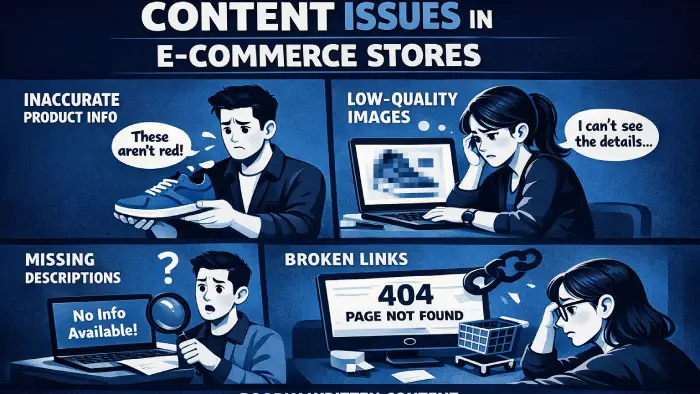
Thin Content on Category Pages
Many online stores just show products on category pages with no additional text. This misses huge SEO opportunities.
The solution
Add helpful content to category pages like buying guides, frequently asked questions, and information about brands you carry. A detailed SEO Audit identifies which category pages need content added.
Duplicate Content Across Products
When you sell similar products, it’s tempting to copy descriptions and just change the color or size. Don’t do this.
How to handle similar products
- Write unique aspects for each variation
- Highlight specific benefits of different options
- Use customer reviews to add unique content
- Create comparison charts showing differences
Your SEO Audit catches duplicate content problems before they hurt your rankings.
Missing Blog or Resource Content
E-commerce stores that only have product pages miss huge traffic opportunities. Adding helpful content brings people to your store who aren’t ready to buy yet.
Content ideas
- How to guides related to your products
- Comparison articles
- Buying guides
- Customer success stories
Including content strategy in your SEO Audit reveals opportunities to attract more qualified traffic.
Understanding Your Competition
Part of any good SEO Audit involves looking at what your competitors do better than you.
What to check
- Which keywords your competitors rank for that you don’t
- What their product pages look like
- What content they create
- How they structure their sites
Your SEO Audit should include competitive analysis to understand the landscape you’re competing in.
Keyword Research for E-commerce
An SEO Audit reveals if you’re targeting the right keywords or completely missing what customers actually search for.
Types of keywords for online stores
Product keywords: “blue running shoes size 10” (high buying intent)
Informational keywords: “how to choose running shoes” (builds trust)
Comparison keywords: “Nike vs Adidas running shoes” (research phase)
Local keywords: “running shoes store in [city]” (high conversion)
Once you know your keywords, map them to specific pages. Product pages target product keywords, category pages target broader terms, and blog posts target informational keywords.
Building Authority and Trust

Backlink Profile Analysis
Backlinks are links from other websites to yours. They’re like votes of confidence in Google’s eyes.
Good backlinks come from
- Industry publications
- News sites
- Blogs reviewing your products
- Business directories
A thorough SEO Audit reviews your backlinks and identifies toxic ones to disavow.
Customer Reviews and Ratings
Reviews help SEO by adding unique content to product pages, including natural keywords, and building trust. Make it easy for customers to leave reviews and respond to all of them.
Local SEO for E-commerce
If you have a physical store or serve specific areas, local SEO matters for your SEO Audit.
Set up your Google Business Profile completely, add high-quality photos, respond to reviews, and post updates regularly. Target location-specific keywords like “online store in [city]” and create local content about community involvement.
When to Expand Your Digital Marketing
Sometimes e-commerce stores need more than just SEO. An SEO Audit might reveal that you need additional marketing channels to maximize growth.
While SEO brings organic traffic, other channels complement it. Social media builds brand awareness, video marketing demonstrates products, and email keeps customers coming back.
If you’re ready to expand beyond just SEO, working with specialists who understand comprehensive video and social media marketing can help you create a complete digital strategy that brings customers from multiple sources.
A complete SEO Audit might recommend these additional channels based on your specific situation and goals.
Schema Markup for E-commerce
Schema markup is code that helps search engines understand your content better. It makes your listings stand out in search results.
Important schema types
- Product schema (shows price and ratings)
- Breadcrumb schema (shows navigation path)
- Review schema (displays star ratings)
- FAQ schema (answers questions directly)
Your SEO Audit should verify that schema markup is properly implemented and working correctly.
Tracking and Measuring Results
An SEO Audit isn’t complete without setting up proper tracking to measure improvements.
Essential tracking
- Google Analytics (track traffic and conversions)
- Google Search Console (monitor search performance)
- E-commerce tracking (revenue per source)
Key metrics to watch
- Organic traffic growth
- Keyword rankings
- Conversion rate improvements
- Revenue from organic search
Creating Your Action Plan

After completing an SEO Audit, prioritize based on impact and effort.
Do first (high impact, low effort)
- Fix broken links
- Add missing title tags
- Compress oversized images
- Set up tracking properly
Schedule next (high impact, high effort)
- Rewrite duplicate product descriptions
- Create category page content
- Build quality backlinks
- Develop content strategy
Your SEO Audit report should include this prioritization so you know exactly where to start.
Common SEO Audit Mistakes to Avoid
Not auditing regularly: Audit your store every 6-12 months minimum because your site changes and Google updates.
Not fixing what you find: The SEO Audit only helps if you actually fix the issues discovered.
Trying to fix everything at once: Pick your top 5 priorities and focus on those first.
Ignoring user experience: If a change helps SEO but makes shopping harder, don’t do it.
Not tracking improvements: Track metrics before and after changes so you know what works.
DIY vs Professional SEO Audit
When You Can Do It Yourself
You can handle a basic SEO Audit if your store has fewer than 100 products, you’re comfortable with basic technical concepts, and you have time to learn.
Free tools for DIY
- Google Search Console
- Google Analytics
- Screaming Frog (free version)
- Google PageSpeed Insights
When to Hire Professionals
Get professional help in E-commerce if your store has hundreds of products, technical issues seem overwhelming, you’ve tried fixing things without results, or your business depends on online sales.
Professionals bring experience with hundreds of sites, advanced tools, and knowledge of latest algorithm updates.
Maintaining Results After Your SEO Audit
Completing an SEO Audit and fixing issues is just the start. Maintaining results requires ongoing work.
Monthly tasks
- Check for new broken links
- Review page speed
- Monitor keyword rankings
- Check for crawl errors
Quarterly reviews
- Update old content
- Create new product descriptions
- Review top performing pages
- Audit competitors
Annual deep audits
- Complete comprehensive SEO Audit
- Review entire content strategy
- Reassess keyword targets
- Consider major improvements
FAQs
Conclusion
An SEO Audit gives you the roadmap to more traffic, more customers, and more sales. Without one, you’re guessing about what needs fixing. With one, you have a clear plan.
Start with the quick wins. Fix broken links, speed up your site, and make sure mobile works perfectly. These changes show results fast and motivate you to tackle bigger projects.
Remember that SEO is a long game. You won’t see massive changes overnight, but consistent improvements compound over time. Stores that regularly audit and optimize their SEO dominate their niches.
Whether you handle your SEO Audit yourself or hire professionals, the important thing is actually doing it. Every day you wait is another day losing potential customers to competitors who’ve already optimized their stores.
Your online store deserves to be found by the people searching for exactly what you sell. An SEO Audit makes that happen. Start yours today.